
Introduction
13 Simple Ways to Make Your Blog Website Attractive and Engaging
In the fiercely competitive online landscape of today, launching a blog is just the first step. To draw in visitors, motivate them to delve into your content, and transform casual readers into dedicated followers, your blog must be visually striking, user-friendly, informative, and captivating.
A thriving blog merges appealing design with meaningful content and a seamless user experience. Your website should swiftly convey its offerings while ensuring that visitors can easily locate the information they seek.
SEO is also crucial. Google advises focusing on creating helpful, trustworthy, and people-centric content instead of material aimed solely at manipulating search rankings. (Google for Developers)
Whether you’re initiating a new blog or enhancing an existing one, these 13 straightforward strategies to make your blog website more attractive and engaging can assist you in crafting a superior experience for both readers and search engines.
Why This Topic Matters
A visually appealing blog can leave a favorable first impression, but design alone won’t suffice. Visitors anticipate quick loading times, straightforward navigation, legible content, mobile responsiveness, valuable information, and clear organization.

source: istock
Google’s recommendations highlight the importance of useful, well-structured, original, current, people-first content, along with a positive overall page experience. (Google for Developers)
An engaging blog can help you:
- Create a powerful first impression.
- Encourage visitors to explore your site further.
- Enhance readability.
- Promote social sharing.
- Establish credibility and trust.
- Boost returning visitor rates.
- Support your SEO efforts.
- Make your content more discoverable.
- Foster a deeper connection with your audience.
13 Simple Ways to Make Your Blog Website Attractive and Engaging
| No. | Key Point | What to Do | Main Benefit |
|---|---|---|---|
| 1 | Opt for a Clean and Professional Aesthetic | Use a simple, modern, uncluttered design. Keep colors, fonts, buttons, headings, images, menus, and spacing consistent. Avoid excessive ads, pop-ups, banners, and graphics. | Creates a professional appearance and keeps readers focused on your content. |
| 2 | Develop a Compelling Homepage | Include a clear title and tagline, featured articles, categories, introduction, search box, recent posts, newsletter signup, and social media links. | Helps visitors quickly understand your blog and find valuable content. |
| 3 | Incorporate Engaging, High-Quality Images | Use relevant, clear images that support the topic. Choose descriptive file names and meaningful alt text, such as modern-home-office-decor.jpg instead of IMG1234.jpg. | Improves visual appeal, user experience, accessibility, and image SEO. |
| 4 | Enhance Readability of Your Content | Use short paragraphs, headings, subheadings, bullet points, numbered lists, bold text, tables, and sufficient white space. | Makes articles easier to scan, understand, and enjoy. |
| 5 | Opt for an Appealing and Cohesive Color Palette | Choose two or three primary colors, supported by a neutral background and a contrasting color for important buttons or links. | Builds visual consistency and strengthens your blog’s brand identity. |
| 6 | Enhance Your Blog’s Navigation | Create a simple menu with categories such as Home, Lifestyle, Home & Kitchen, Garden, Environment, Health & Fitness, Pet Care, About, and Contact. Add breadcrumbs and related-post links where appropriate. | Helps visitors find information easily and encourages deeper site exploration. |
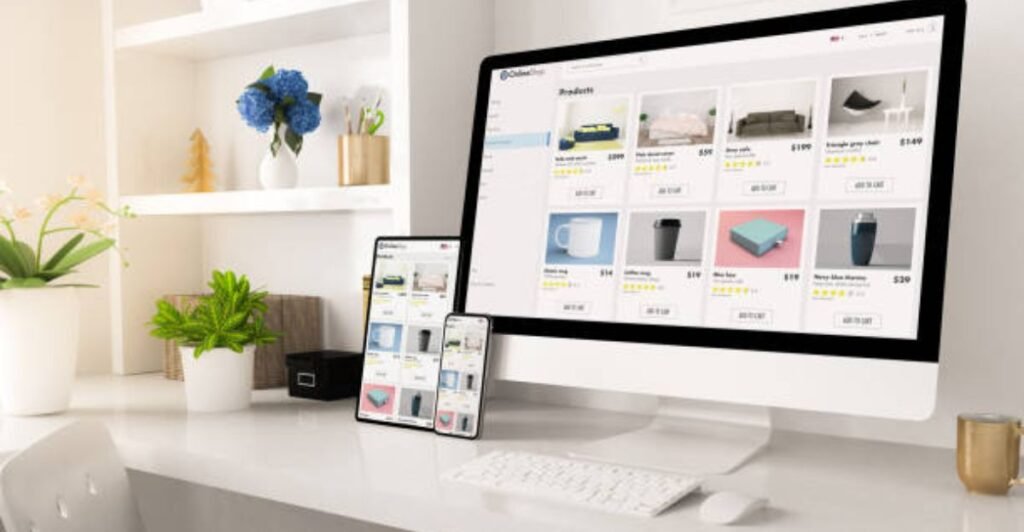
| 7 | Optimize Your Blog for Mobile Devices | Ensure text is readable, buttons are easy to tap, images fit smaller screens, menus work properly, forms are user-friendly, and important content is not hidden. | Provides a better experience for smartphone and tablet users. |
| 8 | Enhance Your Website’s Loading Speed | Compress images, reduce unnecessary plugins and scripts, remove unused elements, optimize fonts, limit animations, and monitor Core Web Vitals. | Reduces user frustration and supports a better overall page experience. |
| 9 | Craft Compelling Headlines | Create clear, benefit-focused headlines using formats such as numbered lists, how-to guides, beginner’s guides, tips, tutorials, and common mistakes. Avoid misleading clickbait. | Attracts attention and helps readers understand what they will gain from the article. |
| 10 | Incorporate Related Posts and Internal Links | Recommend relevant articles at the end of posts and use descriptive internal links throughout your content. | Encourages visitors to read more and helps connect related pages across your website. |
| 11 | Incorporate Interactive and Engaging Features | Consider polls, quizzes, checklists, calculators, before-and-after images, infographics, comparison tables, comments, and downloadable resources when useful. | Makes content more engaging and provides additional value to readers. |
| 12 | Establish Trust With an About Page and Clear Sources | Provide an About page, author information, contact details, editorial guidelines, citations, credible sources, and updated publication dates when appropriate. | Builds credibility and helps readers understand who created the content and where information comes from. |
| 13 | Maintain Your Blog’s Freshness and Relevance | Regularly review older posts for outdated information, broken links, old statistics, missing images, formatting problems, incorrect references, and outdated recommendations. | Keeps your content useful, accurate, and relevant over time. |
Benefits of an Attractive and Engaging Blog Website
Improving your blog’s design and user experience can provide several benefits.
| Benefit | How It Helps |
| Better First Impression | Makes your website appear professional and trustworthy |
| Improved Readability | Helps visitors understand your content more easily |
| Longer Engagement | Encourages readers to explore additional pages |
| Better Navigation | Helps visitors quickly find useful information |
| Mobile Accessibility | Provides a better experience for smartphone users |
| Stronger Brand Identity | Makes your blog more recognizable |
| Better Content Discovery | Internal links help readers find related articles |
| SEO Support | Clear structure and useful content can help search engines understand your pages |
| Higher Trust | Author information and reliable sources strengthen credibility |
Remember that good design does not guarantee higher rankings. Google emphasizes relevance, helpfulness, quality, technical accessibility, and overall page experience rather than a single design factor. (Google for Developers)
Latest Blog Website Trends in 2026
Blogging is constantly changing, especially as more users find information through mobile searches and AI-driven search experiences.

source: istock
1. Prioritizing People-First Content
It’s crucial to create genuinely helpful content rather than just churning out a lot of generic material. Google advises focusing on content that is designed to assist people rather than solely to draw in search-engine traffic. (Google for Developers)
2. Enhancing Mobile Experiences
Responsive designs, legible typography, quick loading times, and user-friendly mobile navigation are still vital.
3. Engaging Visual Storytelling
Utilizing infographics, original images, diagrams, screenshots, and concise visual explanations can simplify complex information for better understanding.
4. Search-Friendly, Question-Based Content
As readers increasingly use specific questions in their searches, structuring content to directly address these questions can enhance article navigation and comprehension. Google’s guidance also highlights that users may employ various terms and phrases for the same subject. (Google for Developers)
5. AI-Conscious Content Strategy
With the rise of AI-driven search experiences, it’s more important than ever to publish unique, valuable information that is well-organized. Google emphasizes that the same core SEO principles—technical eligibility, helpful content, and people-first practices—are relevant to its AI search features. (Google for Developers)
6. Streamlined, Fast Website Design
Contemporary blogs are placing greater emphasis on usability over flashy visual effects. A straightforward design that loads swiftly and allows easy access to the main content can enhance user experience.
Expert Suggestions for Making Your Blog More Attractive
source: istock
When enhancing your website, keep these practical tips in mind:
Focus on your audience first. Consider what your target readers are looking for when they visit your blog.
Maintain a consistent layout. Ensure that fonts, colors, buttons, and spacing are uniform across the site.
Emphasize readability. Avoid complex designs that hinder easy reading.
Provide original value. Incorporate personal experiences, examples, research, images, or practical insights where suitable.
Optimize your images. Ensure they are visually appealing while preventing large file sizes from slowing down your pages.
Check your website on a smartphone. What appears good on a desktop may not translate well to a smaller screen.
Track performance. Utilize tools like Google Search Console and PageSpeed Insights to spot any technical or performance-related issues.
Avoid writing solely for word count. Concentrate on thoroughly and clearly addressing the reader’s questions. Google explicitly states there is no ideal word count. (Google for Developers)
Common Mistakes to Avoid
| No. | Common Mistake | Why It Can Be a Problem | How to Avoid It |
|---|---|---|---|
| 1 | Overloading the Website With Ads | Excessive advertisements can distract visitors from the main content and make pages difficult to use. | Keep ads limited, relevant, and positioned so they do not interfere with the user’s ability to access content. |
| 2 | Using Too Many Fonts and Colors | An inconsistent visual style can make a website look cluttered and unprofessional. | Use a consistent color palette and a small number of easy-to-read fonts throughout the website. |
| 3 | Publishing Huge Blocks of Text | Long paragraphs can make online content difficult to scan and understand. | Break content into short paragraphs, headings, bullet points, and tables where appropriate. |
| 4 | Ignoring Mobile Users | A website designed mainly for desktops may provide a poor experience on smartphones and tablets. | Use responsive design and test pages on different screen sizes and devices. |
| 5 | Using Low-Quality Images | Blurry, irrelevant, or oversized images can reduce visual appeal and slow down page performance. | Use relevant, high-quality, properly sized, and compressed images. |
| 6 | Overusing Pop-Ups | Too many intrusive pop-ups can interrupt readers and create frustration. | Use pop-ups sparingly and avoid blocking important content or navigation. |
| 7 | Keyword Stuffing | Repeating keywords unnaturally can make content difficult to read and reduce its usefulness. | Use relevant keywords naturally while prioritizing helpful, reader-focused content. |
| 8 | Publishing AI Content Without Editorial Review | AI-generated content may contain inaccuracies, generic wording, repetition, or insufficient expertise. | Review, fact-check, edit, and personalize AI-assisted content before publishing. |
| 9 | Ignoring Broken Links | Broken internal or external links can frustrate visitors and create a poor user experience. | Check important links regularly and replace or remove broken ones. |
| 10 | Creating Content Only for Search Traffic | Content created primarily to attract search traffic may fail to satisfy readers’ actual needs. | Follow a people-first approach and create useful, original content that genuinely answers users’ questions. |
Conclusion
Enhancing your blog website’s appeal and engagement doesn’t necessitate costly designs or complex technology. Minor adjustments can lead to substantial improvements.
Begin with a clean design, a strong homepage, easily readable content, appealing images, straightforward navigation, a mobile-friendly layout, quick-loading pages, captivating headlines, valuable internal links, interactive features, credible information, and regularly refreshed content.
Above all, keep in mind that a successful blog should prioritize the needs of its audience. SEO should enhance the reader’s experience rather than overshadow it. Google’s latest recommendations consistently highlight the importance of helpful, trustworthy, people-first content and a positive overall page experience. (Google for Developers)
By consistently implementing these 13 straightforward strategies, you can develop a blog that appears professional, feels inviting, delivers genuine value, and encourages visitors to return.
References
- Google Search Central — Creating Helpful, Reliable, People-First Content. (Google for Developers)
- Google Search Central — Google Search Essentials. (Google for Developers)
- Google Search Central — SEO Starter Guide: The Basics. (Google for Developers)
- Google Search Central — Understanding Google Page Experience. (Google for Developers)
- Google Search Central — Mobile-First Indexing Best Practices. (Google for Developers)
- Google Search Central — AI Features and Your Website. (Google for Developers)
FAQs
1. How can I enhance the appeal of my blog website?
Begin with a tidy layout, uniform colors and fonts, high-resolution images, legible typography, straightforward navigation, and well-structured content.
2. What elements contribute to a blog’s engagement?
Valuable information, compelling headlines, visual elements, concise paragraphs, internal links, interactive components, and clear calls to action can significantly boost a blog’s engagement.
3. Is the design of a website crucial for SEO?
Absolutely, the overall user experience is important, but design alone does not dictate search rankings. Valuable content, technical accessibility, relevance, and a positive page experience are all essential. (Google for Developers)
4. How critical is mobile-friendly design for a blog?
It is extremely crucial. Google prioritizes the mobile version of a site’s content for indexing and ranking, so your blog must function effectively on smartphones and tablets. (Google for Developers)
5. Should I include images in every blog post?
Appropriate images can enhance visual interest and clarify information, but they should provide value rather than just occupy space.
6. How frequently should I refresh old blog posts?
Regularly assess older content and update it when information, links, statistics, or recommendations have genuinely changed. Avoid altering dates just to make content seem current. (Google for Developers)
7. Should I prioritize SEO or my readers?
Prioritize your readers first. SEO is most effective when it complements valuable, trustworthy, people-centered content rather than replacing it. (Google for Developers)
8. Can AI assist in enhancing my blog?
Yes. AI can aid in brainstorming, outlining, research assistance, editing, and various aspects of the content creation process. However, ensure to review the final output thoroughly and infuse it with genuine value, expertise, originality, and fact-checking.
9. What is the key feature of an appealing blog?
There isn’t just one key feature. An effective blog integrates valuable content, a clean design, easy navigation, mobile compatibility, quick performance, readability, and credibility.
10. What strategies can I use to retain visitors on my blog for a longer duration?
Develop valuable related content and link articles with appropriate internal connections. Ensure that navigation is straightforward and offer clear next steps, allowing readers to seamlessly continue their journey through your website.